
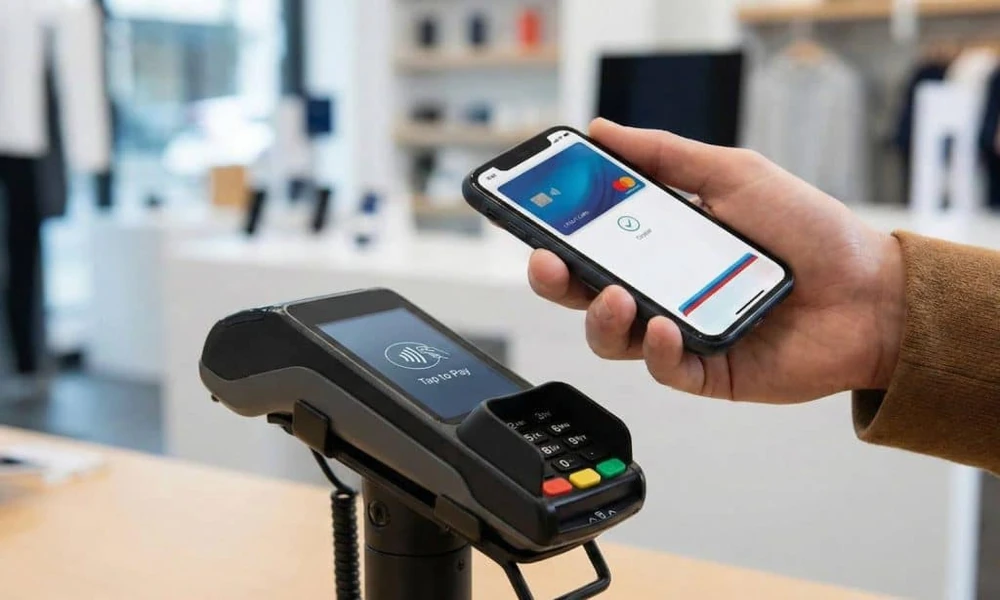
A wallet is no longer only a place to keep cash and cards. In digital payments, a wallet refers to an online payment tool that stores money or payment details and helps users complete transactions quickly. It can be used for shopping, mobile recharges, utility payments, subscriptions, travel bookings, and other everyday expenses.
As digital payments have become common in India, wallets are now used by people who want faster access to small-value payments without entering bank details every time. They also help users track spending, manage payment history, and keep certain expenses separate from their main bank account.
What Is a Wallet in Digital Payments?
A digital wallet is an app-based or web-based payment method that allows users to store money or link payment instruments such as debit cards, credit cards, bank accounts, or prepaid balances. Once set up, users can make payments using the wallet balance or linked payment option.
The main purpose of a wallet is convenience. Instead of carrying cash or entering card details repeatedly, users can make payments with a few taps. Many wallets also support QR code payments, bill payments, online shopping, and merchant transactions.
How a Wallet Works
A wallet works by connecting the user, payment platform, and merchant. The user adds money or links a payment method. When a payment is made, the wallet processes the transaction and sends confirmation to both the user and the merchant.
Some wallets work as prepaid instruments, where users first add money and then spend from the balance. Others work by allowing users to pay directly through linked accounts or cards. The exact process depends on the wallet provider and payment type.
Common Uses of a WalletMobile Recharges
One of the most common uses of a wallet is mobile recharge. Users can select their operator, enter the number, choose a plan, and complete the payment quickly.
Utility Bill Payments
Wallets are also used for paying electricity, water, gas, broadband, and DTH bills. This helps users avoid late fees and maintain a record of monthly payments.
Online Shopping
Many e-commerce platforms accept wallet payments. This can make checkout faster because users do not need to enter card or banking details every time.
Travel and Transport Payments
Wallets may be used for cab bookings, metro cards, bus tickets, fuel payments, parking, and toll-related payments. This is useful for people who travel regularly.
Food and Subscription Payments
Users can pay for food delivery, streaming platforms, app subscriptions, and other recurring services using wallet-linked payment methods.
Why People Use Wallets
People use wallets because they reduce payment effort. For small daily payments, entering card details or banking credentials every time can feel time-consuming. A wallet makes the process simpler.
Another reason is better expense tracking. Since wallet transactions are recorded inside the app, users can check where they spent money and when the payment was made. This can help with monthly budgeting.
Wallets also reduce dependence on cash. For users who prefer digital payments, a wallet can be useful for both online and offline transactions.
Wallet vs Bank Account Payments
A wallet is different from direct bank account payments. In bank payments, money is debited directly from the bank account. In wallet payments, the transaction may happen through stored balance or linked payment sources.
A wallet can be helpful for controlled spending because users may add a limited amount and use it only for selected expenses. Bank account payments, on the other hand, are more direct and may be better suited for larger transfers or formal banking needs.
Both options have their own use. A wallet is useful for quick, frequent, and smaller payments, while bank transfers are useful for broader financial transactions.
Important Features to Check in a WalletPayment Categories
A good wallet should support common payments such as recharges, bill payments, shopping, and merchant payments. Users should check whether the wallet supports the services they need most.
Transaction History
Transaction history helps users review past payments. This is useful when checking monthly expenses or resolving payment-related concerns.
Security Options
Security features such as PIN, biometric login, device binding, and OTP verification help protect wallet access.
Refund Process
Users should check how refunds are handled. Some refunds may return to the wallet balance, while others may go back to the original payment source.
Charges and Limits
Some wallets may have limits on adding money, transferring funds, or completing certain transactions. Users should read these details before using the wallet regularly.
How Wallets Help in Daily Money Management
A wallet can help users separate everyday spending from savings. For example, a person may add a fixed monthly amount to the wallet for recharges, transport, food, and small purchases. This helps prevent unnecessary use of the main bank balance.
Wallets also make it easier to handle recurring payments. Users can pay monthly bills from one place and keep digital receipts. This is useful for families, students, working professionals, and small business owners.
For people who make regular transport-related payments, wallet-based options may also support services like Fastag, making travel payments easier to manage within a broader digital payment routine.
Safety Tips While Using a Wallet
Users should always download wallet apps from official app stores. Installing apps from unknown links can create security risks.
It is also important to set a strong PIN and avoid sharing OTPs, passwords, or login details. A wallet should never be accessed on another person’s phone or through public devices.
Users should avoid making payments over unsafe public Wi-Fi. They should also check the merchant name, amount, and payment confirmation before completing any transaction.
If a phone is lost, the user should immediately block wallet access, change passwords, and contact the wallet provider if needed.
Common Mistakes to Avoid
One common mistake is keeping too much money in a wallet without a clear need. Users should keep only the amount required for regular expenses.
Another mistake is ignoring transaction alerts. Payment messages and app notifications should be checked to identify any unknown activity.
Users should also avoid saving payment details on untrusted websites. Even when using a wallet, it is better to complete transactions through secure platforms.
Who Should Use a Wallet?
A wallet can be useful for anyone who makes regular digital payments. Students may use it for recharges and food orders. Working professionals may use it for transport, subscriptions, and bills. Families may use it for household payments. Small business owners may use it for quick purchases and expense tracking.
However, users should choose a wallet based on their actual payment habits. If someone rarely makes digital payments, they may not need multiple wallet apps. One reliable option may be enough.
Conclusion
A wallet is a practical payment tool for users who want faster and more organized digital transactions. It can support mobile recharges, bill payments, shopping, transport payments, subscriptions, and other daily expenses. When used carefully, it can also help users track spending and manage small payments better.
The right way to use a wallet is to keep it secure, maintain a reasonable balance, check transaction history, and avoid unknown links or unsafe apps. With proper use, a wallet can make everyday payments easier without making money management complicated.
FAQsWhat is a wallet in digital payments?
A wallet is a digital payment tool that stores money or linked payment details and allows users to make online or offline payments.
Is a wallet safe to use?
Yes, a wallet is safe when used through trusted apps, strong passwords, secure networks, and proper verification methods.
Can I pay bills using a wallet?
Yes, many wallets support bill payments such as electricity, gas, water, broadband, mobile, and DTH bills.
Should I keep a large balance in my wallet?
It is better to keep only the amount needed for regular payments. This helps reduce risk and supports controlled spending.
What should I do if a wallet payment fails?
Check the transaction status in the app, wait for confirmation, and contact customer support if the amount is debited but the payment is not completed.
